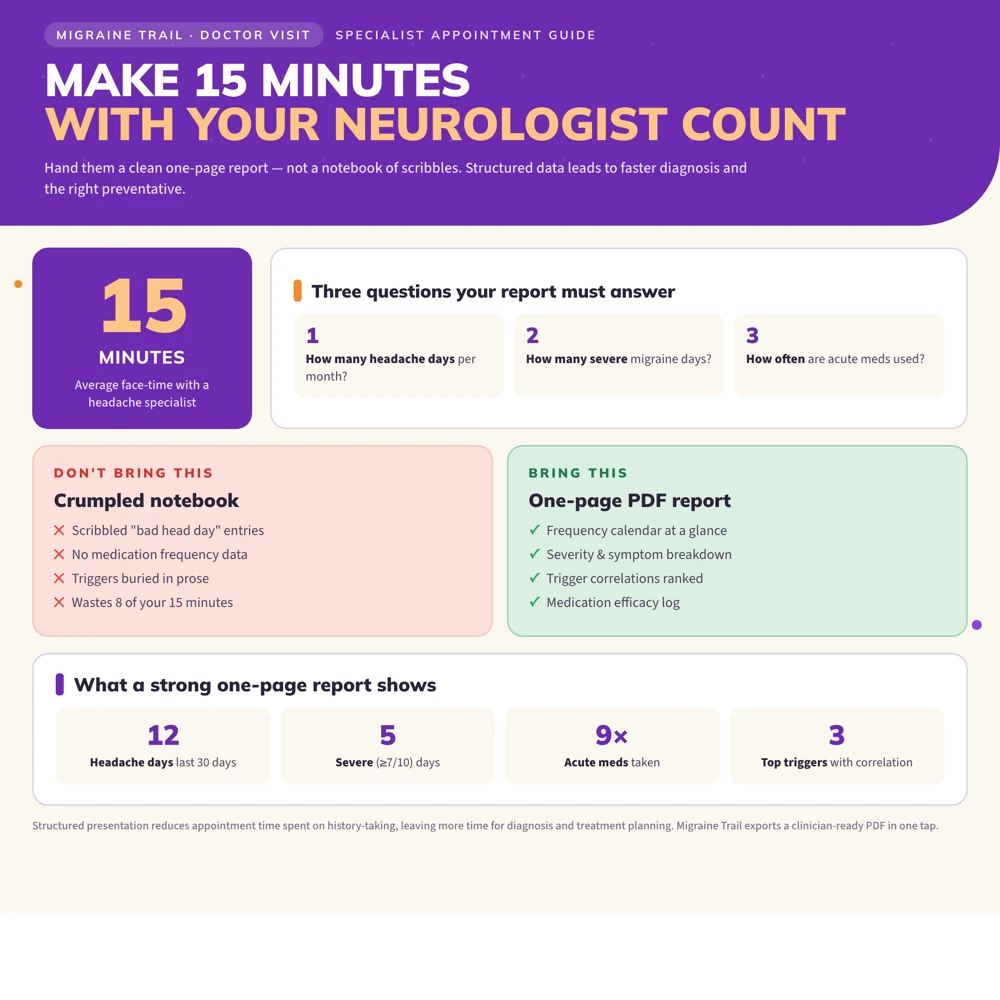
The most useful migraine export for a doctor is a concise summary that shows frequency, severity, symptoms, medication use, treatment response, and meaningful changes over time. A report should help your clinician understand what has been happening without asking them to decode a long timeline while the appointment clock is running.
You do not need to prove that your pain is real. You need a clear record that makes your experience easier to discuss.
What to export from a migraine tracker
If your app offers a PDF report, look for these sections:
- Date range covered.
- Total headache days and migraine days.
- Headache-free days, if available.
- Start time, end time, duration, and severity.
- Symptoms such as aura, nausea, light sensitivity, sound sensitivity, dizziness, and neck pain.
- Disability or missed work, school, caregiving, or social activity.
- Acute medication days, dose, timing, response, and side effects.
- Preventive treatment dates and changes.
- Context such as sleep, meals, stress, menstrual cycle, illness, and weather when relevant.
- A notes section for your questions and observations.
The report should distinguish recorded facts from app-generated associations. “Six of ten attacks followed less than six hours of sleep” is a useful observation. “Sleep caused my migraine” is a conclusion that may be too strong.
PDF, CSV, or JSON: which format should you use?
Each format serves a different purpose:
| Format | Best use | Limitation |
|---|---|---|
| PDF | A quick appointment summary that is easy to read | Harder to analyze or import |
| CSV | Sorting, filtering, and reviewing rows of data | May lose app-specific structure or attachments |
| JSON | Preserving structured fields for backup or transfer | Not always readable without another tool |
| Screenshots | Showing one visual or calendar detail | Incomplete and difficult to search |
If possible, bring a short PDF and keep the full CSV or JSON export as a backup. Ask the clinic whether it has a preferred format or patient portal upload process.
A one-page migraine report template
Your first page should answer the questions a clinician is most likely to ask:
| Area | Example summary |
|---|---|
| Date range | August 1 through October 31 |
| Headache frequency | 14 headache days; 9 migraine-like days |
| Severity and function | 5 severe days; 3 days unable to work |
| Duration | Usually 6 to 18 hours |
| Symptoms | Light sensitivity in 10 attacks; nausea in 7; aura in 2 |
| Acute treatment | Used on 9 days; meaningful relief on 6 |
| Preventive treatment | Dose changed September 12 |
| Main observations | Attacks clustered after short sleep and during one work shift change |
| Questions | Is the frequency high enough to discuss prevention? Is the acute plan still appropriate? |
The numbers in this example are only a format. Use your own data, and label anything uncertain.
Prepare the report before your appointment
Choose a useful date range
Three months can make frequency and treatment changes easier to see, but your clinician may want a shorter or longer period. If you recently started a treatment, include the time before and after the change when possible.
Check the totals
Scan for duplicate entries, unfinished attacks, or a medication recorded without an attack. If your app counts days differently from your clinician, note the difference instead of silently changing the data.
Mark major changes
Add dates for:
- Starting, stopping, or changing a preventive treatment.
- A new acute medication.
- An illness, injury, pregnancy, postpartum period, or major hormonal change.
- A shift in work, sleep, travel, or living situation.
- A new headache pattern.
Context helps your clinician avoid mistaking a temporary change for the whole picture.
Write three questions
A good report makes space for your voice. You might ask:
- Does my headache frequency suggest that we should revisit prevention?
- What does my medication response and use pattern suggest?
- Which symptoms or changes should I track more closely before our next visit?
How to talk about patterns without overclaiming
Use language such as:
- “I noticed…”
- “This happened on…”
- “I am not sure whether…”
- “The pattern was stronger when…”
- “This did not happen every time…”
Avoid treating an app’s correlation label as a diagnosis. Weather, foods, stress, sleep, hormones, and medication use can overlap, and symptoms that happen before pain may be part of the migraine attack itself.
Sharing securely
Use the method your healthcare provider recommends. A patient portal is often more appropriate than sending health information through a personal email or a group chat. Review the recipient, date range, and contents before sending. If a caregiver helps with appointments, decide together what they need to see.
You can also bring the report on paper or show it from your phone if digital transfer is not practical. Keep the full export in a secure place, and do not share more personal information than the appointment requires.
What doctors often need beyond the report
Bring or be ready to describe:
- Your current medication list, including over-the-counter products and supplements.
- Allergies and past treatment trials.
- Relevant health conditions and family history.
- New or unusual symptoms.
- What you want to be different after the visit.
The American Migraine Foundation notes that a headache diary can help a specialist understand the who, what, when, where, why, and how of your headaches. The report is a starting point for a conversation, not a replacement for your story.
More guides for your next appointment
Frequently asked questions
What should a migraine diary PDF for a doctor include?
Include the date range, headache and migraine days, severity, duration, symptoms, disability, medication name and dose, timing, response, side effects, preventive treatment changes, and questions for the clinician. Keep the first page concise.
Should I export raw migraine tracking data too?
Yes, if the app allows it. A PDF is easier to read, while CSV or JSON can preserve details for future analysis or transfer. Keep the raw export secure and ask the clinic whether it can use it.
How many months of migraine data should I bring?
Bring the period your clinician requested. If you have no guidance, a recent one- to three-month summary is often a practical starting point, especially when it includes treatment changes. Longer data can add context.
What if my data is incomplete?
Bring it anyway. Explain what you were able to record and what may be missing. Incomplete data is more helpful when its limits are visible than when it is presented as a complete history.
Sources